Early preview · Apple Silicon · macOS 14+

Speak it. Capture it.
Make it clear.

Your everyday Mac tools in one local app — dictation, screenshots, screen annotation and recording, with optional notes.

Free and open source (MIT). Early preview — or build from source.

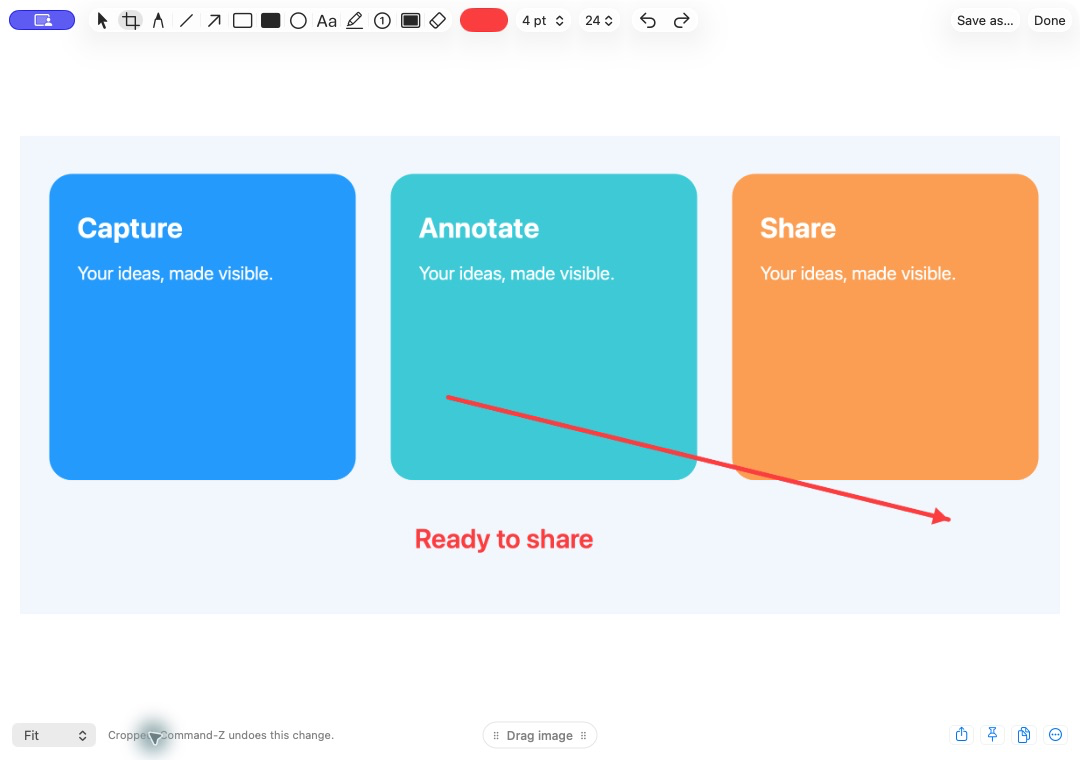
OpenToolkit screenshot editor

The actual screenshot editor, shown with demonstration artwork.

One app. The tools you reach for all day.

Talk instead of type, capture your screen, mark it up, and move on.

🎙️

Dictation

Hold Fn and speak into any text box. Choose Parakeet or Whisper, with live typing.

🪄

Word corrections

Fix a word after dictating and get a suggested correction to save, undo or disable.

↩️

Recover a transcript

Double-tap Shift to paste your last transcript. Triple-tap for history.

✨

Writing modes

Tidy spacing, format messages, or use a local AI model for bullet summaries and email drafts.

📸

Screenshots

Freeform area or full screen. Keep recent captures nearby, edit them, or drag them into another app.

✏️

Screenshot editor

Crop, text, arrows, shapes, numbered markers and redaction. Combine images, copy or save.

🖍️

Screen annotation

Draw over your screen with a hotkey, then clear it when you're done.

🎬

Screen recording

Record a region as video or GIF, at fixed dimensions, or as a scrolling screenshot.

📝

Notes Experimental

Optional local notes, folders, keyword search and meeting transcripts. Off by default.
Say “Hey Toolkit”.

Say the wake phrase, wait for the cue, then pick a command. You get an eight-second window. Change the phrase and the actions to suit you — or leave wake listening off entirely.

DictateFn hold or tap
Last transcript / history⇧×2 / ×3
Capture area⌘⇧4
Full screen⌘⇧3
Video, GIF, scrolling⌘⇧5
“Hey Toolkit”
   ↓  wait for the sound
“start dictating”
“take a screenshot”
“summarize into bullet points”
“turn this into an email”

Local by default.

Speech recognition runs on your Mac. Your words, captures and notes stay there unless you choose to share them.

Open source. MIT licensed.

Read the code, file an issue, or build it yourself. Needs Python 3.12 and Xcode Command Line Tools.

git clone https://github.com/Barty-Bart/opentoolkit
cd opentoolkit
python3.12 scripts/install.py --check
python3.12 scripts/install.py

Early preview: text insertion, correction detection and screenshot behaviour are still being hardened. English only for now. Recording with microphone needs macOS 15+.